
Mastering WordPress Technical SEO: How to Spot and Fix Critical Errors
According to data from W3Techs, WordPress powers nearly 40% of all websites globally. However, the platform’s ease of use often creates a false sense of security, making it easy to overlook critical technical details. Without professional technical SEO for WordPress, many of these issues go unnoticed for months – until organic traffic and sales begin to drop.
While a traditional SEO audit provides a solid foundation, the real challenge is that technical flaws develop gradually over time. In this guide, we will explore the 7 most common technical WordPress problems, along with practical ways to detect and resolve them before they impact your search engine rankings.
The 7 Technical WordPress Issues and How to Fix Them
Speed and Responsiveness: Why Click Delays Hurt Conversions
Google strictly evaluates the INP (Interaction to Next Paint) metric – how quickly a website responds when a user clicks a menu, opens a filter, or adds a product to their cart. If there is even a one-second delay, bounce rates spike, and Google lowers your ranking. Most site owners rely on caching plugins, but these only cache static pages – not backend user interactions.
The root cause of these delays is usually bloated JavaScript. Popular page builders and added plugins (such as live chats, analytics, or contact forms) load their scripts on every single page, regardless of whether they are actually needed. The solution is selective script management: disabling unnecessary code where it is not required (e.g., loading a form script exclusively on the “Contact Us” page) and deferring secondary scripts until the user actually scrolls.
For e-commerce stores running WooCommerce, the challenge is even greater because pages like the shopping cart and user account cannot be statically cached. Proper e-commerce SEO here requires database-level server caching and Content Delivery Networks (CDNs) to reduce latency between the server and the end user.
2. Crawl Budget Depletion and Indexing Errors
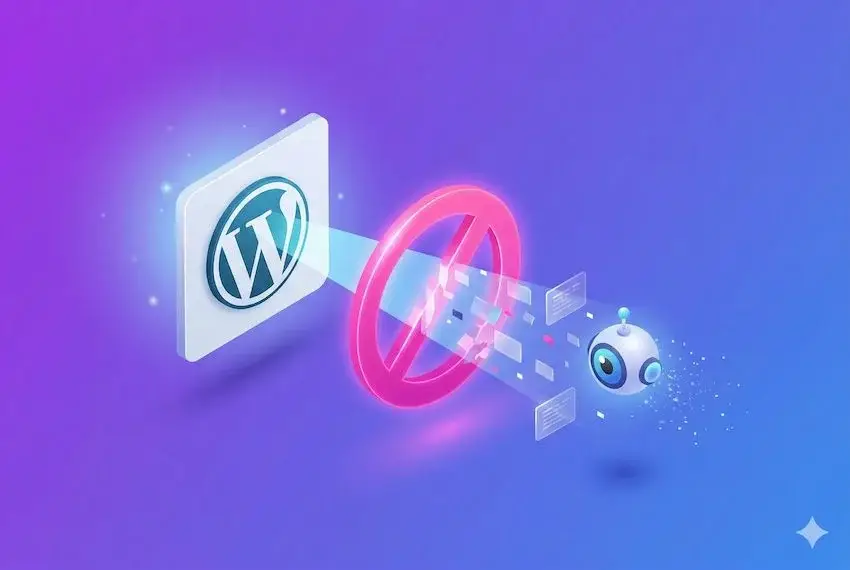
Search engines assign a limited Crawl Budget to inspect every website. When Googlebot wastes time crawling thousands of duplicate or system-generated pages, it stops checking your high-priority products and articles. As a result, new pages take days or weeks to index, and updates to existing content are not reflected in search results on time.
The main culprit behind this issue in online stores is faceted navigation – filters for color, size, price, or brand generate thousands of dynamic URLs with parameters (e.g., ?color=blue&price=50-100). Search engines treat every single combination as a unique page, wasting your crawl budget. The correct approach is implementing AJAX filtering without generating bloat URLs for filter combinations that lack real search volume.
In addition, WordPress generates unnecessary archives for authors, dates, and tags by default, creating “thin” and duplicate content. To prevent this, configure your robots.txt file with strict disallow rules for system paths (such as /?s= or /wp-json/), and set up automated monitoring (e.g., via an AI assistant) to alert you instantly if a critical URL drops out of the index.
3. Duplicate Content and Keyword Cannibalization (Canonical Tags, Pagination, and Archives)
Due to its flexible architecture, WordPress can easily create multiple URL paths pointing to the exact same content. When several URLs display identical products or articles, search engines struggle to determine which page is the primary one. This frequently leads to keyword cannibalization – where your own pages compete against each other in search results, diluting overall domain authority and lowering rankings.
A common trap is incorrectly configured Canonical tags, particularly on paginated pages (e.g., /blog/page/2/). SEO plugins or themes sometimes mistakenly set the canonical URL of paginated pages back to the main category root page, confusing Google about which articles should actually be indexed. The proper setup requires every paginated page to contain a self-referential canonical URL.
Further duplication stems from auto-generated author, date, and tag archives containing identical lists of posts. The fix is systemic: restrict indexing on redundant archives (e.g., disable author archives on single-author sites) and consolidate or remove fragmented tags into logical core categories.
4. Broken Links, 301 Redirect Chains, and Loss of Link Equity
Landing on a broken link or error page frustrates users and signals poor website maintenance to search engines. Changing URLs, deleting pages, or restructuring a site without a clear plan accumulates broken links and redundant redirects. Without meticulous SEO planning during website migration, forgotten noindex tags, broken internal links, or unredirected legacy URLs can severely cut off organic traffic.
Key challenges and solutions include:
- Redirect Chains: This happens when a page is moved to URL B, and later redirected again to URL C. Navigating from A to B to C creates an extra step that slows down page load times, confuses search bots, and causes them to abandon crawling before reaching the final content. The solution is straightforward: remove intermediate hops so that legacy URL A points directly to destination URL C via a single 301 redirect.
- Redundant Image Attachment Pages: Certain WordPress themes automatically create a standalone attachment page for every uploaded image, containing nothing but the image file itself. This floods the site with hundreds of thin pages that dilute Google’s focus. To fix this, redirect these media attachment URLs back to the parent post or product page using your SEO plugin.
5. Plugin Overuse and Hidden Security Risks
The ability to add new features with a single click is both a major advantage and a potential risk in WordPress. Accumulating too many – or outdated – plugins bloats the platform, while security vulnerabilities can quickly lead to malicious code injection and search ranking drops.
Key challenges and solutions include:
- Plugin Conflicts and Overlapping Features: Running dozens of plugins often leads to duplicate functionalities – such as having multiple tools for security, analytics, or optimization running simultaneously. This causes site delays and code conflicts. The solution is a periodic plugin audit: remove redundant extensions, and replace multiple minor plugins with lightweight, custom code functions where possible.
- Security Vulnerabilities and Access Control (Including AI Integrations): Vulnerabilities most often arise from unmaintained plugins or overly broad permissions granted to external systems and AI assistants. To mitigate risks, keep all extensions updated, enforce a server-level firewall, and apply the strict principle of least privilege for AI integrations, such as via Model Context Protocol ( MCP) – granting read-only access for analysis without direct write permissions to your site’s codebase.
6. Missing Structured Data (Schema Markup) and Chaotic Heading Hierarchy
To understand the full context behind a business, Google relies on structured data (Schema Markup) alongside page text. In comprehensive corporate website optimization, Schema helps search engines link your organization, services, authors, and online reputation into a cohesive logical network. When markup is missing or incorrectly implemented, you forfeit rich search results (such as review stars, pricing, and stock availability).
Key challenges and solutions include:
- Conflicting and Duplicate Schema Data: Site themes, SEO plugins, and review extensions often generate competing Schema tags simultaneously, creating invalid code that Google ignores. The solution is unifying your structured data by building a single, clean Schema Graph that connects organization, product, and author entities into one logical framework.
- Incorrect Heading Hierarchy (H1–H6): Page builders frequently misuse <h1> or <h2> tags to style decorative elements, buttons, footers, or sidebar widgets. This obscures the true topic of the page for search engines. Ensure your template is structured so that every page contains exactly one primary <h1> heading, followed by a logical hierarchy of subheadings (<h2>, <h3>).
7. Visibility in AI Search Engines and Generative Engine Optimization (GEO)
Websites no longer compete solely for traditional Google search results. They must also be accessible, understandable, and citable by modern AI search engines and assistants (such as ChatGPT, Perplexity, Gemini, and Copilot). If AI agents cannot parse or discover your content, you miss out on a rapidly growing source of targeted referral traffic.
Key risk factors and solutions include:
- Unintentional Blocking of AI Bots: An improperly configured robots.txt file can accidentally block AI web crawlers. Conduct a precise audit to allow search-focused bots (like PerplexityBot or ChatGPT-User) so your site can be cited in answers, while restricting bots that scrape content purely for LLM training without attribution.
- Hiding Content Behind Heavy Scripts: AI search engines optimize computational resources and frequently bypass pages that render text dynamically via heavy client-side JavaScript. The solution is delivering clean HTML with structured logical blocks containing direct facts, direct answers, and well-formatted data that AI assistants can easily read and cite.
From One-Time Audits to Real-Time Monitoring (MCP Integration)
Most technical WordPress issues develop incrementally – following a plugin update, new product launch, or code edit by a developer. Relying solely on a periodic audit every few months leaves these errors hidden for far too long.
To eliminate this risk, modern SEO workflows utilize integration via MCP (Model Context Protocol). In simple terms, MCP is a secure protocol that connects your AI assistant directly to your site’s critical data feeds:
- WordPress SEO Settings: Metadata, indexability status, and canonical URLs;
- Google Search Console: Live indexing errors and traffic drops;
- Server Logs: Slow requests, INP bottlenecks, and broken internal links.
Instead of waiting for a monthly report, this system flags technical anomalies the day they occur and prioritizes fixes based on business-critical pages. Final code modifications and deployments are always reviewed and executed by a human SEO specialist, ensuring full operational oversight.
Summary
WordPress is an excellent platform for growth, but as a site expands, technical maintenance quickly outgrows the default settings of a basic SEO plugin. Every code change, core update, or newly installed extension can unexpectedly impact page speed, indexing, or site architecture.
Maintaining high visibility across Google and emerging AI search engines demands continuous care, semantic clarity, and above all – rapid response times. Catching technical flaws on the day they appear rather than months later preserves your site’s search authority, organic traffic, and long-term business potential.
Frequently Asked Questions
Is WordPress dying because of new platforms like Webflow and AI tools?
No. WordPress continues to be a leading platform, especially for SEO and content marketing. New tools offer convenience, but WordPress remains more flexible and adaptable to different business needs.
Which is the best SEO plugin for WordPress?
Yoast and RankMath are the most popular solutions. The choice depends on the project’s needs, but both can be effective when used correctly.
How long does SEO optimization for a WordPress site take?
SEO is a long-term process that requires consistency and constant optimization. The first results are usually seen between 3 and 6 months, depending on the competition and the state of the site.
Can a WordPress site rank without technical SEO?
Theoretically yes, but in a highly competitive environment, this is unlikely. Technical optimization is mandatory for sustainable results.